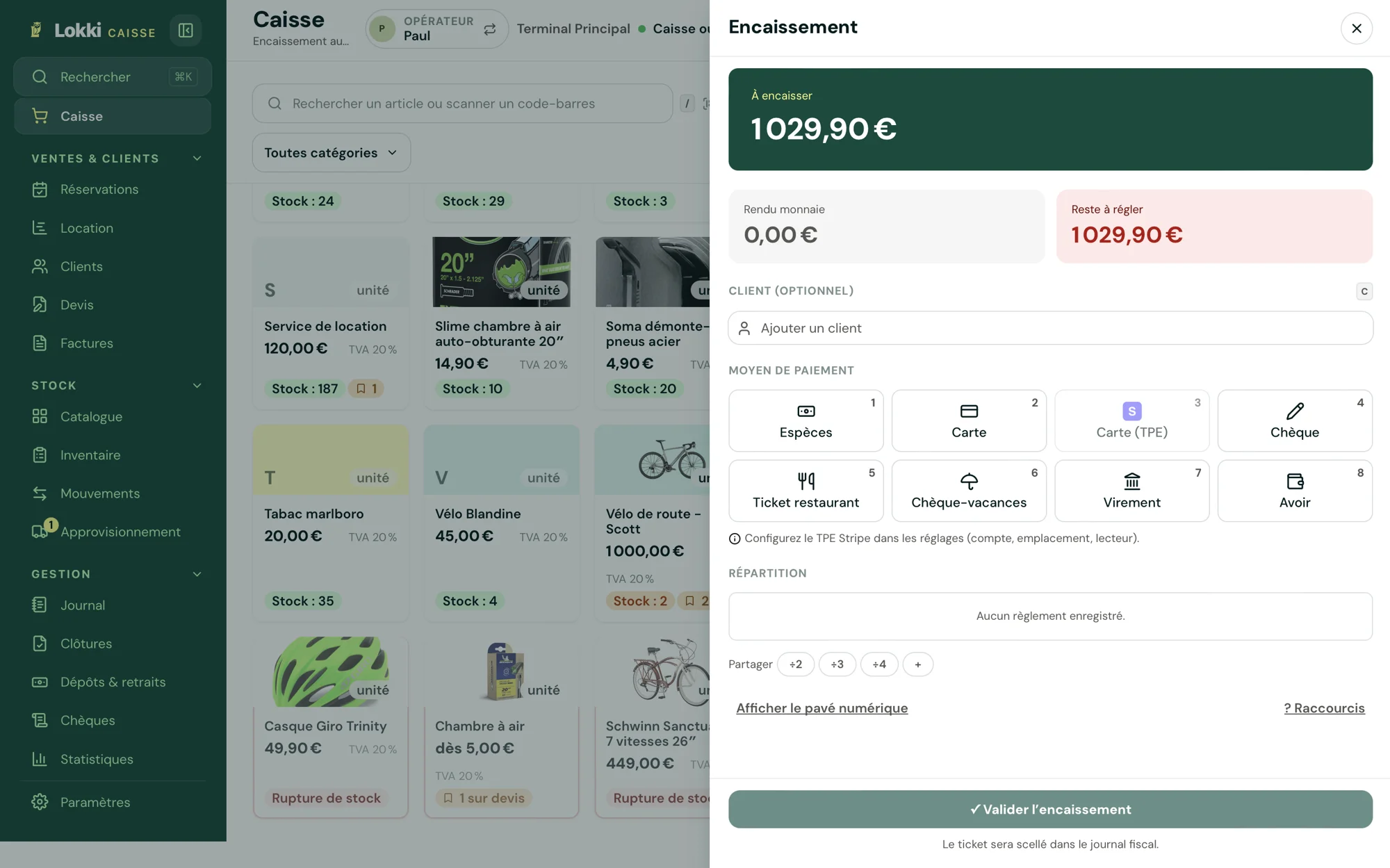


Lokki keeps innovating with a long-awaited new feature: the integration of ANCV Connect! Lokki users can now accept ANCV payments securely and automatically. In this article, we explain everything you need to know to make the most of this feature.
1. What is ANCV Connect and why use it with Lokki?
ANCV Connect is a digital payment solution from the ANCV (the French national agency for holiday vouchers) that lets you accept payments with Chèques-Vacances (French holiday vouchers) simply and securely. By integrating it with Lokki, you get an optimised, hassle-free rental management system directly connected to ANCV payments.
2. Eligibility requirements for ANCV Connect
To be eligible for ANCV Connect through Lokki, you must meet a few criteria:
- Residence: You must be based in France or in a European Union country. French overseas regions (DROM) are also eligible.
- Shop ID: Each point of sale must obtain a unique Shop ID from the ANCV. This Shop ID must then be entered in Lokki so that ANCV payments work properly.
- LokkiPayment activation: The LokkiPayment feature must be activated in your Lokki settings.
3. Fees and payment terms
Each ANCV transaction is subject to a 2.5% fee, plus an additional 1% fee for Lokki. These fees are deducted automatically with the subscription.
4. Steps to activate ANCV Connect on Lokki
Here's how to activate ANCV Connect:
- Create your Shop ID on the ANCV website.
- Enter the Shop ID in your Lokki account settings.
- Turn on the ANCV switch in the payment settings.
- Accept the General Rental Terms and Conditions to complete the activation.
As you can see, integrating ANCV Connect on Lokki is a major asset for rental businesses that want to give their customers more flexibility while simplifying payment management. Ready to take the plunge?
Join us and activate ANCV Connect on Lokki today!