

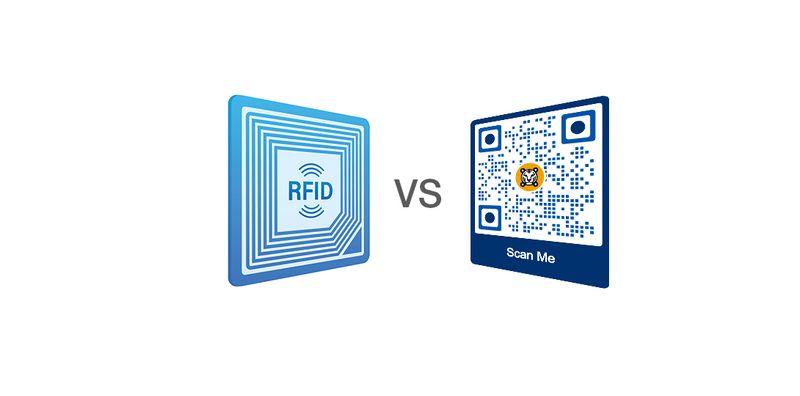
QR code or RFID: which should you choose to manage your stock?
When choosing between QR codes and RFID, the real question is not “which one is more modern” but “which one fits your stock, your team and your day-to-day constraints”. QR codes are simple, quick to roll out and very cheap. RFID costs more upfront, but works on a different scale: faster inventories, reading without pointing at the label, and checking batches and bulk returns.
These technology choices really make sense when they are part of equipment rental software that centralises movements, availability and equipment history. Without a solid management base, even the best tracking technology ends up producing unreliable data.
In this article, we compare QR code and RFID with concrete benchmarks, realistic costs and a simple method to make the right decision, always keeping in mind the everyday challenges of rental management: check-outs, returns, inspections and equipment rotation.
QR code or RFID: what each technology really does well
To manage stock, you need three things: fast identification, reliable movements (in/out/transfer), and the ability to find information without wasting time.
QR codes: the champion of simple and cheap
QR codes (or 1D/2D barcodes) are ideal when:
– your stock is modest or you rarely run inventories,
– items are easy to see (you can point at the label),
– you want to get started quickly with smartphones or handheld scanners,
– you are fine scanning one item at a time.
QR codes are often the best starting point to “clean up” your database: naming, locations, movement rules. And that alone is a huge win.
RFID: the technology that changes the scale
RFID becomes worthwhile when:
– volumes grow and manual inventory takes too long,
– items are stored in bins, crates, boxes or trolleys,
– you want to read tags without line of sight (no need to aim),
– you need bulk reading (several tags detected in a few seconds).
It is particularly useful for stock that moves a lot: preparation, shipping, returns, completeness checks, batch management, and anything that looks like a “live” flow.
QR code vs RFID for stock management: comparison
| Criterion | QR code | RFID |
|---|---|---|
| Contactless reading | No | Yes |
| Line of sight required | Yes | No |
| Bulk reading | No (one at a time) | Yes |
| Inventory speed | Average | Very high |
| Durability in dirty environments | Variable (label can get damaged) | Good (rugged tags available) |
| Reading hardware | Smartphone / handheld scanner | RFID reader (handheld or fixed) |
| Unit cost | Very low | Higher |
| Setup | Easy | More technical |
| Best context | “Quiet” stock | Stock “on the move” |
The detail that tips the decision
The game changer is line of sight. With a QR code, you have to aim at the label. With RFID, you sweep an area. For 200 items, it makes little difference. For thousands of parts or bulk returns, it is a different world.
Real costs: tags, readers, software, labour
You often hear “RFID = expensive” and “QR code = free”. In practice, it is mostly a trade-off between hardware investment and staff time.
Realistic costs for QR codes
– QR labels: from a few cents to around €0.20 depending on material and durability.
– Printing: a printer plus consumables if you print in-house.
– Reading: a smartphone (often already available) or a handheld scanner (moderate cost).
– Main hidden cost: the time spent scanning item by item, especially during inventories or return checks.
Realistic costs for RFID
– Standard passive RFID tags: often around €0.20 to €1.50 each depending on volume.
– Rugged tags (outdoor, metal, impact): more like €2 to €8 each.
– Handheld RFID reader: typically €1,200 to €2,500.
– Fixed readers/gates: more expensive, but not required to get started.
– Software integration: varies depending on your system (ERP/WMS/app), often a real budget line to plan for.
A simple benchmark to estimate the business case
Ask yourself a very concrete question: how many hours a month does your team spend searching, recounting, correcting or redoing an inventory because a movement was not recorded properly?
If the answer is more than “a little”, RFID can pay for itself quickly. If your stock is stable, a well-maintained QR code system is very often enough.
Mistakes to avoid and a simple way to decide
Tracking projects rarely fail because of the technology. They fail because of poor scoping.
6 common mistakes
- Choosing RFID “on principle” when your stock is small and stable.
- Underestimating label quality (fragile material, weak adhesive, poorly thought-out placement).
- Forgetting the exceptions: breakage, internal loans, incomplete returns, after-sales service, exchanges.
- Treating inventory as a once-a-year event instead of a regular habit.
- Rolling out everywhere without a pilot (test one area, one product family, one flow).
- Neglecting adoption by the team: the best solution is the one your staff use without friction.
Choosing between QR code and RFID means choosing a way of running your stock. QR codes are unbeatable for getting started quickly, at low cost, and for structuring the basics. RFID becomes formidable when flows intensify, returns arrive in bulk and scanning time starts to cost more than the tags. With a field pilot and simple rules, you turn tracking into a reliable routine, and your stock finally becomes an ally.